A new chapter in image making

Nano Banana 2.1AI Image Generator & Prompt Guide

Explore Nano Banana 2.1 features and prompts for product photos, portraits and posters. Create or edit 1K, 2K and 4K images from 15 credits on CubistAI.

Nano Banana 2.1 prompt reference · Social Campaign Visual
Nano Banana 2.1 · Prompt reference

Generation details · Generation engine: Nano Banana 2 (Gemini 3.1 Flash Image). Supports 1K, 2K and 4K output with one reference image.

AI Image Generator & Photo Editor

1K
0 / 1,000
Aspect Ratioauto

Output Resolution

Number of Images

Nano Banana 2.1 · 1K1K
1K

Your Nano Banana 2.1 result will appear here

Enter a prompt or upload a reference image to create a 1K image for 15 credits, then preview and download the result.

Nano Banana 2.1: key facts and image credits

Model covered
Nano Banana 2.1
Online creation tools
Text to Image / Image to Image
Output Resolution
1K / 2K / 4K
CubistAI credits per image
1K: 15 credits · 2K: 20 credits · 4K: 30 credits
Reference image upload
1 × JPG / PNG / WebP · 10MB

Sign in with enough credits. Single 1K and 2K images require no subscription. 4K requires an active Starter, Plus or Pro subscription. Batch limits depend on your plan.

Plans and credit packsNano Banana 2.1 prompts for product photos, posters and image editingChoose 1K, 2K or 4K for your AI image

01 / NANO BANANA 2.1

Nano Banana 2.1 prompts: product photos, portraits and interiors

Explore reference visuals and prompts for Nano Banana 2.1 product scenes, portraits and interiors. The visuals illustrate composition and editing goals. Load a prompt and adapt it to your own image; results vary.

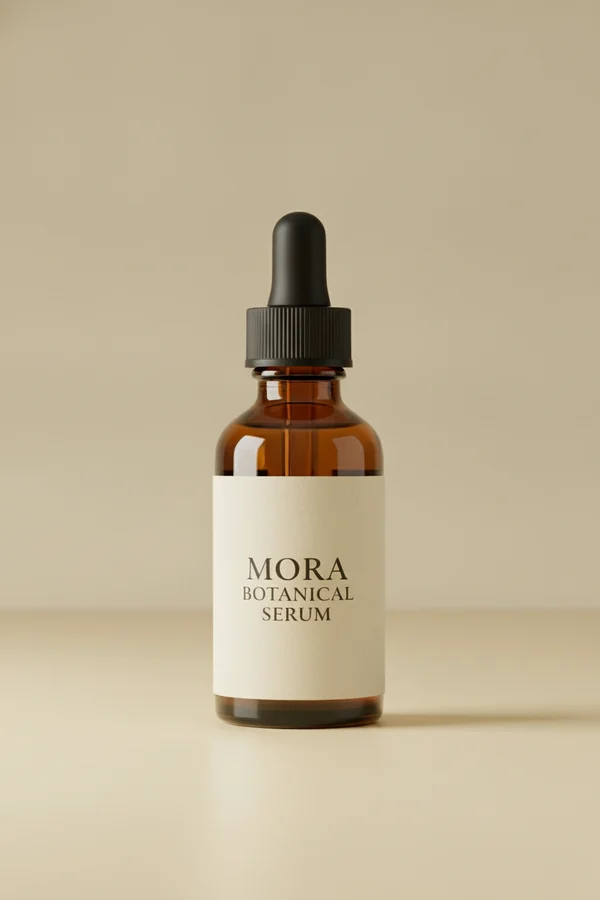
Nano Banana 2.1 prompt reference · Product Background Replacement · Before
Before
Nano Banana 2.1 prompt reference · Product Background Replacement · After
After

Nano Banana 2.1 · Prompt reference

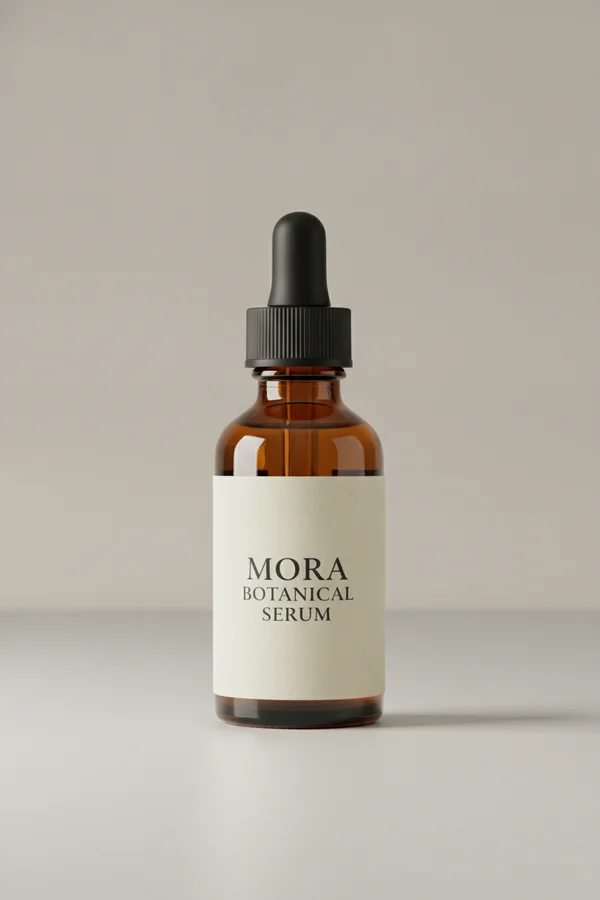
Product Background Replacement

Keep the bottle, label, and proportions while moving the product into a warm studio setting.

View the prompt

Keep the bottle, label text, proportions, and brand colors unchanged. Replace the background with a pale yellow studio set and add a crisp directional shadow.

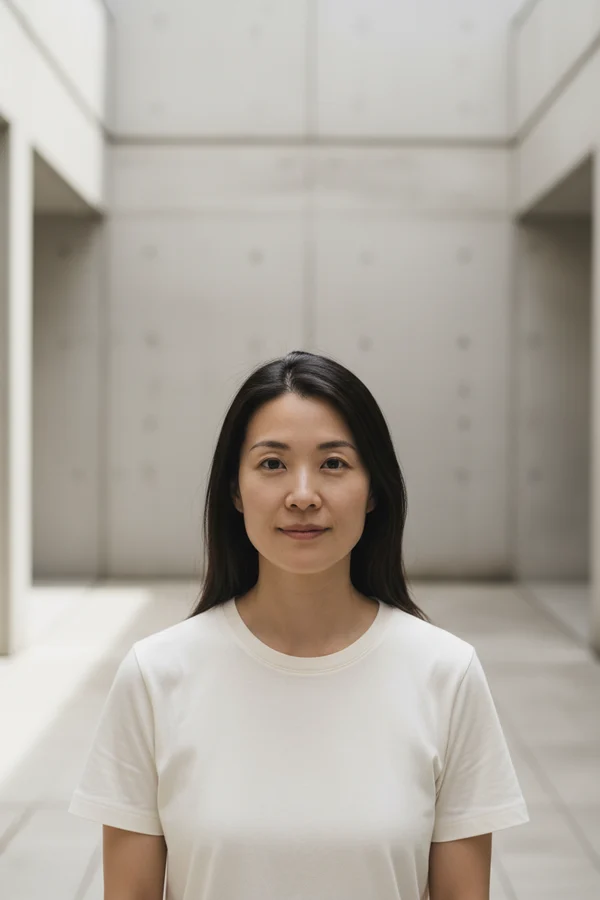
Nano Banana 2.1 prompt reference · Portrait Style and Lighting · Before
Before
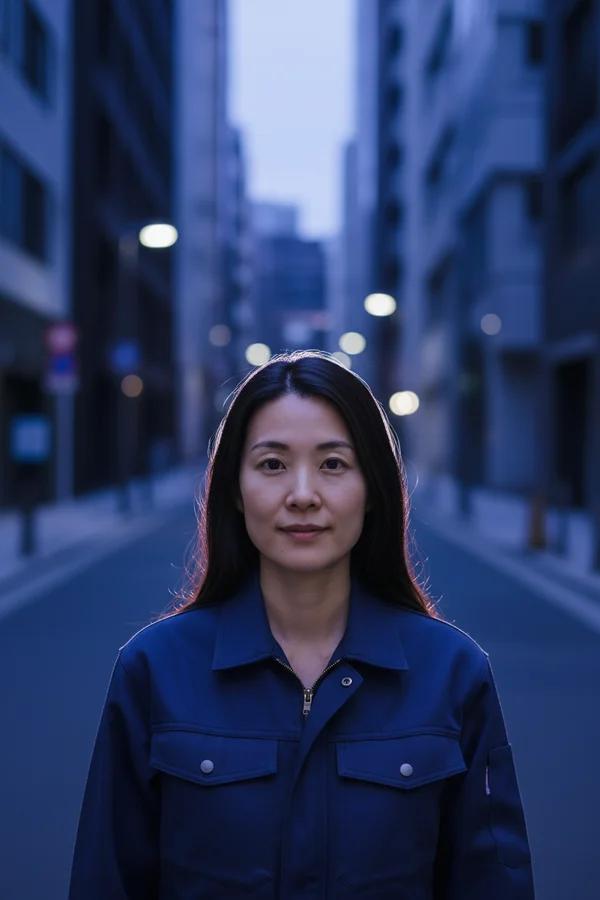
Nano Banana 2.1 prompt reference · Portrait Style and Lighting · After
After

Nano Banana 2.1 · Prompt reference

Portrait Style and Lighting

Preserve the subject's identity and pose while changing wardrobe direction, atmosphere, and light.

View the prompt

Preserve the person's facial features, hair, pose, and camera angle. Change the clothing to a navy work jacket and place the subject on a quiet city street at blue hour with soft cinematic rim light.

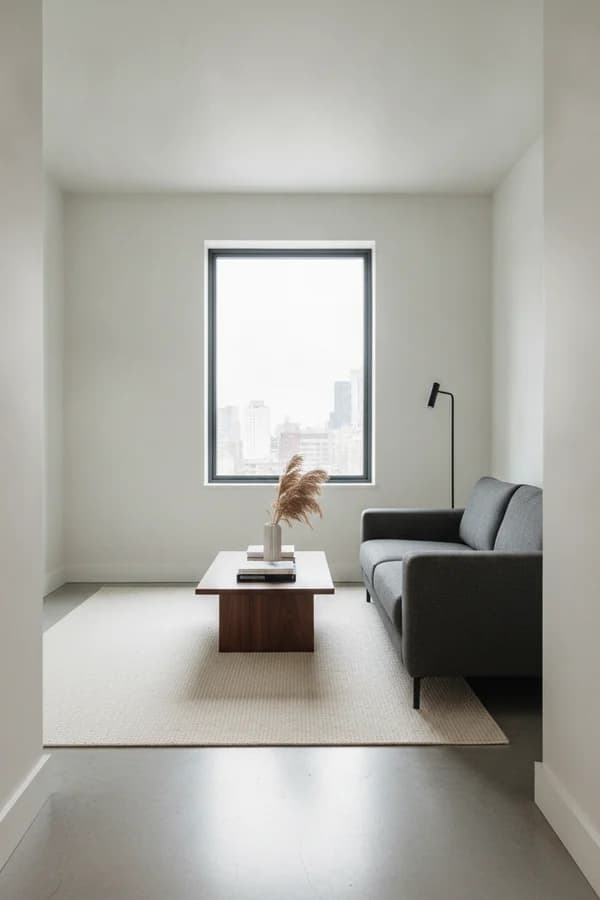
Nano Banana 2.1 prompt reference · Interior Material Restyle · Before
Before
Nano Banana 2.1 prompt reference · Interior Material Restyle · After
After

Nano Banana 2.1 · Prompt reference

Interior Material Restyle

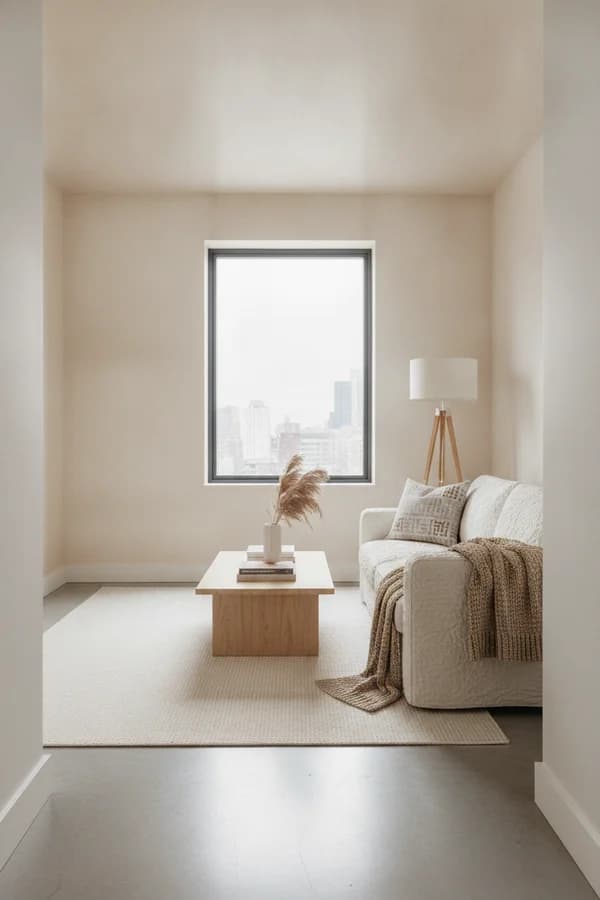
Retain the room structure and camera angle while introducing new materials, furniture, and decor.

View the prompt

Restyle this living room with light oak, textured linen, and warm Scandinavian decor while preserving the room layout, windows, and camera angle.

Nano Banana 2.1 prompt reference · Social Campaign Visual

Nano Banana 2.1 · Prompt reference

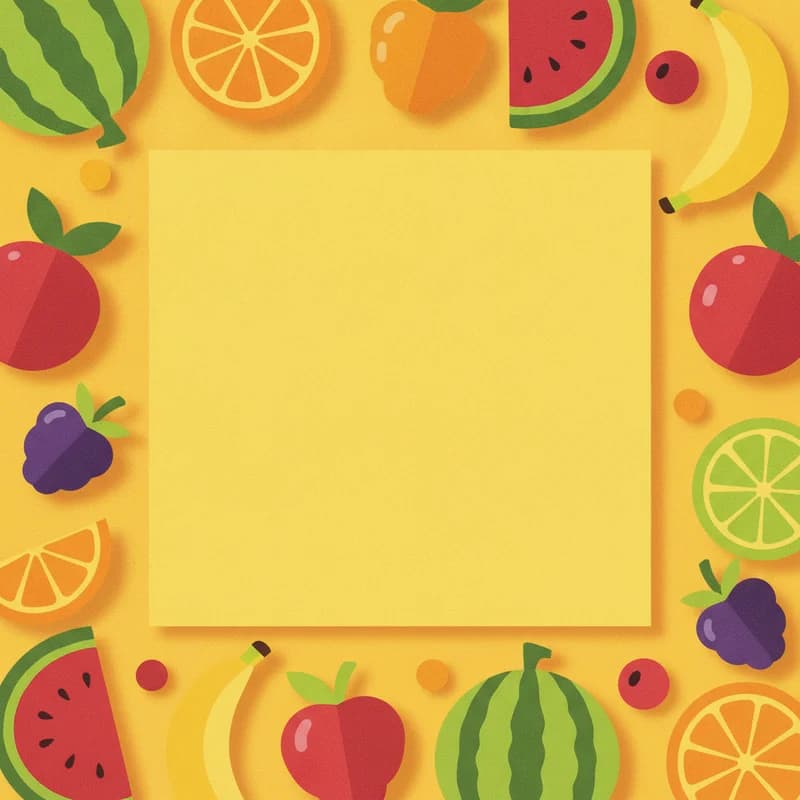
Social Campaign Visual

Build a bright square campaign image from a text brief, with intentional space left for final typography.

View the prompt

A bold square social media visual for a summer fruit market, cut-paper collage style, banana yellow background, playful fruit shapes, generous empty space for a headline.

Nano Banana 2.1 prompt reference · Story Illustration

Nano Banana 2.1 · Prompt reference

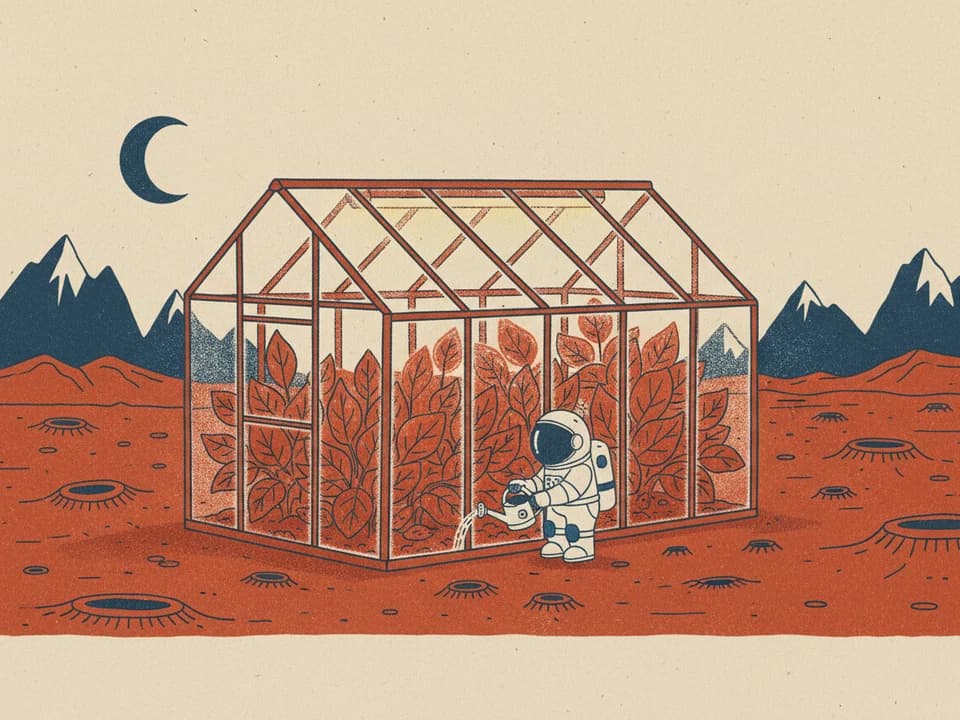
Story Illustration

Turn an imaginative scene description into a character-led illustration with a controlled palette and mood.

View the prompt

A small glass greenhouse on Mars with a tiny astronaut watering red-leaf plants, playful risograph illustration, limited rust-red, cobalt, and cream palette, subtle paper texture.

02 / NANO BANANA 2.1

What is Nano Banana 2.1?

Nano Banana 2.1 is Google’s image generation and conversational editing model. The capabilities below describe Google’s official model; workspace options are shown in the generator.

01

Improved visual quality, realism and instruction following.

02

Better text rendering, infographic layouts and consistency across edits.

03

1K, 2K and 4K output, with improvements to wide and panoramic compositions.

03 / NANO BANANA 2.1

How to generate and edit AI images online

  1. 01

    Choose a Mode and Add Your Input

    Start with Text to Image, or select Image to Image and upload one JPG, PNG, or WebP reference no larger than 10MB.

  2. 02

    Describe the Goal and Choose a Ratio

    Write what you want to create or change, name details to preserve, then choose Auto or an aspect ratio and select 1, 2, or 4 outputs. 1K / 2K / 4K image output.

  3. 03

    Generate, Preview, and Download

    Text-to-image and image editing cost 15 credits per 1K image, 20 per 2K image, and 30 per 4K image.

04 / NANO BANANA 2.1

AI image pricing: 1K, 2K and 4K credits

Text-to-image and image editing cost 15 credits per 1K image, 20 per 2K image, and 30 per 4K image. Batch totals equal the per-image price multiplied by the number of images.

Image workspace

1K
15credits / image
2K
20credits / image
4K
30credits / image

Sign in with enough credits. Single 1K and 2K images require no subscription. 4K requires an active Starter, Plus or Pro subscription. Batch limits depend on your plan.

Buy credit pack

Compare Nano Banana image generation prices

These are CubistAI credit prices, not Google API prices. Original Nano Banana remains available at its existing price. Nano Banana Pro is a separate premium model; 2.1 is its efficiency-focused counterpart, not a renamed Pro.

Compare Nano Banana image generation prices
AI ModelsOutput Resolutioncredits
Nano Banana1K8
Nano Banana 21K / 2K / 4K15 / 20 / 30
Image workspace1K / 2K / 4K15 / 20 / 30

1K · 15 credits

Use 1K to test composition, lighting and prompt changes before spending more credits.

2K · 20 credits

Use 2K for product images, social posts and presentations that need more detail than a draft.

4K · 30 credits

Use 4K when you need a larger image for detailed layouts or further editing. Check fine text before publishing.

05 / NANO BANANA 2.1

Nano Banana 2.1 prompt guide and templates

Describe the subject, the change, what to preserve, and the desired light or style. Start with a simple request, then refine it.

Subject or source image + requested change + details to preserve + style or lighting + output constraints

Product edit

Names the protected product details before describing the new set and framing.

Portrait edit

Separates identity and pose constraints from wardrobe, location, and lighting changes.

Text to image

Combines subject, action, medium, palette, texture, and final canvas shape.

Adapt these starter prompts to your subject. Put exact text in quotes, describe the composition and set resolution in the controls. Generated results vary.

Product photography prompt

Create a studio product photograph of a matte ceramic coffee cup on pale limestone. Soft window light from the left, natural contact shadow, warm cream palette. Keep empty space on the right for a headline. No text. Landscape composition.

Poster with readable text

Design a portrait poster for a fictional coffee shop. Exact headline: "FRESH STARTS". Subtitle: "COFFEE & CONVERSATION". A single espresso cup, cream and terracotta colors, clear typographic hierarchy and generous spacing. Add no other words.

Photo editing prompt

Edit the uploaded reference photo. Preserve the person’s identity, face, pose and clothing. Replace only the background with a quiet botanical garden and match the soft afternoon light. Keep the original camera angle and realistic skin texture.

06 / NANO BANANA 2.1

Nano Banana 2.1 FAQ: features, prompts and pricing

What is Nano Banana 2.1?

Nano Banana 2.1 is Google’s image generation and conversational editing model Improved visual quality, realism and instruction following. Better text rendering, infographic layouts and consistency across edits. 1K, 2K and 4K output, with improvements to wide and panoramic compositions.

How do I create an image?

Choose text-to-image or image-to-image, enter a prompt, and upload one reference image when editing. Select the aspect ratio, resolution and output count, then sign in to generate. Text-to-image and image editing cost 15 credits per 1K image, 20 per 2K image, and 30 per 4K image.

Is image generation free?

Sign in with enough credits. Single 1K and 2K images require no subscription. 4K requires an active Starter, Plus or Pro subscription. Batch limits depend on your plan. Text-to-image and image editing cost 15 credits per 1K image, 20 per 2K image, and 30 per 4K image. Batch totals equal the per-image price multiplied by the number of images.

Which resolution and inputs can I use now?

The workspace creates 1K / 2K / 4K images from text or one JPG, PNG or WebP reference up to 10MB. Choose Auto or a supported aspect ratio. Batch size depends on your plan.

Do I need a subscription for Nano Banana 2.1 4K images?

Sign in with enough credits. Single 1K and 2K images require no subscription. 4K requires an active Starter, Plus or Pro subscription. Batch limits depend on your plan. Text-to-image and image editing cost 15 credits per 1K image, 20 per 2K image, and 30 per 4K image. Batch totals equal the per-image price multiplied by the number of images.

What happens if I stop waiting?

Stopping the wait does not cancel a task already submitted or automatically refund credits. The task may continue in the background. Check My Creations or return to this workspace to recover its status before submitting again.

Does Nano Banana 2.1 add a watermark?

Google states that images generated by its Gemini image models include invisible SynthID to identify AI-generated content. SynthID is not normally a visible overlay, but it means Nano Banana 2.1 results should not be described as watermark-free.

Can I use Nano Banana 2.1 images commercially?

Commercial use depends on the rights attached to your prompt, reference image, subjects, brands, and intended market, as well as the applicable service terms and law. Review CubistAI's terms before publishing or selling a result; this page does not provide a blanket license or legal advice.

How do I write better Nano Banana 2.1 prompts?

Describe the subject, composition, style and lighting. Put exact poster text in quotes. For photo editing, state what should change and what must stay the same. Select resolution with the image controls, then refine one detail at a time.

Should I choose 1K, 2K or 4K?

Use 1K to test composition, lighting and prompt changes before spending more credits. Use 2K for product images, social posts and presentations that need more detail than a draft. Use 4K when you need a larger image for detailed layouts or further editing. Check fine text before publishing.

What if I run out of credits in Nano Banana 2.1?

When your balance cannot cover the selected generation, clicking Generate opens the credit purchase dialog with the 1,000-credit pack selected. You can choose another pack. Your prompt, reference image and settings stay in the workspace; continue after the balance updates. A credit pack does not unlock 4K without an active subscription.
Explore Nano Banana models and image tools