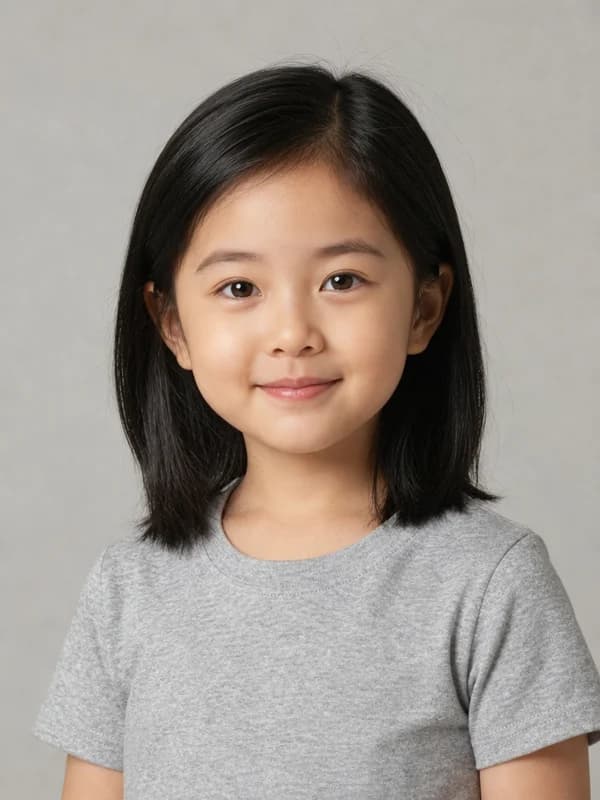




Free AI Age FilterSee Yourself at Any Age (0–100), Instantly Online

The realistic AI aging filter — free online alternative to FaceApp and TikTok's old age filter. Upload one photo and see what you'll look like when you're older, or your child, teen, adult, and senior self. No app install, no watermark, HD download.

Any age 0–100
Instant, no app
No watermark, HD

Free AI Age Filter Generator

Drop or browse a portrait

Best: clear face, frontal, single person, JPEG/PNG, 1024px+

1255075100

Your result will appear here

Upload a clear portrait, choose an age, and our AI will generate a photorealistic version of you at that age.

11. Upload a portrait
22. Pick an age preset
Generate

How to Use the AI Age Filter (3 Steps)

See yourself at any age in about 30 seconds — no app install, no signup required to try.

1

Upload a Clear Portrait

Drag and drop or click to upload a clear, frontal portrait. JPG, PNG, or WEBP, up to 10MB. Best results with a single face and good lighting.

2

Choose Your Target Age

Pick a quick preset (Child, Teen, Adult, Mature, Senior) or drag the precision slider to any specific age between 1 and 100.

3

Download Your Aged Photo

Preview the photorealistic result and download in HD — no watermark added, no platform mark on your output.

AI Age Progression Examples — One Face, Five Decades

Same person, different ages. See how our AI age filter preserves identity while transforming age.

AI age filter — female portrait at age 5
5years old
AI age filter — female portrait at age 20
20years old
AI age filter — female portrait at age 35
35years old
AI age filter — female portrait at age 60
60years old
AI age filter — female portrait at age 80
80years old

Examples are AI-generated and shown for illustration only.

Why Our AI Age Filter Wins

Designed to make every age look real — and keep you looking like you.

Any Age, 0 to 100

Most age filters lock you to 3–4 presets. Ours covers every age from 1 to 100 with a precision slider — see yourself at 35, 67, or 99.

Identity-Preserving AI

Powered by our identity-preserving AI. We change age, not identity — your face, your eyes, your features stay you across every age.

No Watermark, No Sign-Up to Try

Unlike most aging apps, we never add a platform watermark to your output. Sign in to use the generator, no download required.

Instant HD, 11 Languages

Most results in 10–30 seconds, full HD download, and fully localized across 11 languages.

What People Use the AI Age Filter For

From curiosity to creator content — here are the most popular ways to use it.

See Your Future Self

Curious how you'll look at 60, 75, or 90? Get a photorealistic preview of your older self in seconds.

Watch Your Kids Grow Up

Upload a recent child photo and see how they might look as a teenager, an adult, or even a grandparent.

Couples Time-Warp

Age yourselves together — see what you'll both look like after 30 or 50 years of life together. A fun anniversary gift idea.

TikTok & Creator Content

Get the viral old-age look without the TikTok app — high resolution, no watermark, ready to repost to TikTok, Reels, or YouTube Shorts.

Privacy-Safe Alternative

Skip the third-party aging apps that store your photo for marketing. Our generator is built on encrypted infrastructure with no creepy data resale.

CubistAI AI Age Filter vs FaceApp & TikTok Aging Filter

Everything FaceApp puts behind a paywall and TikTok's filter can't do — free, accurate, and yours to download in HD.

FeatureCubistAIFaceAppTikTok aged filter
Age range
1–100 (slider)
Old / young preset
One preset look
Precision age control
Exact slider
Buttons only
Buttons only
Identity-preserving AI
Identity-locked AI
Older proprietary model
Mobile filter model
Output watermark
None
Free tier watermarked
TikTok logo
Try without download
Browser, instant
App install required
HD download
Up to 4K
HD paywalled
Compressed export
Languages
11 languages
1–2 languages
1 language
Pro tips

Get the Best AI Age Filter Results

Five quick rules to make your aged photos look truly realistic.

1

Use a Clear, Frontal Portrait

Face the camera directly. The clearer your features, the better our AI can predict aging changes accurately.

2

One Face Per Photo

Single-subject portraits work best. Group photos can confuse the AI on which face to age.

3

Good, Even Lighting

Avoid harsh shadows or backlit shots. Soft, even light helps the AI render realistic skin texture and wrinkles.

4

Higher Resolution Wins

1024px and above produces sharper aging details. Tiny thumbnails give blurry results — start with the best source you have.

5

Skip Sunglasses & Heavy Filters

Eyes are key to realistic aging. Photos with sunglasses, beauty filters, or heavy makeup may produce uncanny results.

How AI Age Progression Works

A quick look under the hood of our AI age filter and why results stay realistic.

An AI age filter does much more than just adding wrinkles or grey hair on top of your photo. CubistAI's age progression engine uses an identity-preserving image model that learns the shape, lighting, and skin texture of your face from a single portrait, then re-renders that same person at a different age while keeping bone structure, eye color, and ethnic features stable.

The core challenge of any face aging app is the trade-off between change and identity. Push the model too hard toward 80 years old and a photo of a 20-year-old can start to look like a different person. We solve this by guiding the model with an identity guard prompt and an age-band descriptor for every year between 1 and 100 — so a 35-year-old result keeps a youthful jawline with light expression lines, while a 75-year-old result adds deep wrinkles, thinning silver hair, and natural age spots without rewriting who you are.

Compared with mobile aging filters like FaceApp or the TikTok aged filter, a browser-based AI age filter has two big advantages. First, you control the exact target age with a 1–100 slider instead of choosing between three or four canned looks. Second, your output is delivered as a clean HD image with no platform watermark, which is essential for creators reposting to TikTok, Reels, or YouTube Shorts.

The AI age filter is not a serious prediction of your future face. Real aging is shaped by genetics, sun exposure, lifestyle, stress, and health, none of which a single photo can capture. Treat your aged photos as a plausible visualization for entertainment, family fun, and creative content — not as a literal prediction of your future face.

Aging

Upload a current portrait and pick any older age. The model adds wrinkles, sagging, grey hair, and age spots in line with real aging patterns for your face shape.

De-aging

Want to see yourself younger? Pick a younger age and the AI smooths skin, restores hair density, and softens features while preserving your real identity.

Identity-preserving

Every generation runs through an identity guard so eye color, ethnicity, head pose, framing, clothing, and background stay consistent with the source photo.

AI Age Filter FAQ

Everything you wanted to know about aging your photo with AI.

What is the AI age filter?
The AI age filter is an online tool that uses identity-preserving AI to generate photorealistic versions of you at any age between 1 and 100. Upload one portrait and our AI predicts what you would look like as a child, a teenager, an adult, or as an elderly person — while preserving your identity, ethnicity, and facial features.
Can I choose a specific age like 10, 70, or 80?
Yes. Beyond the 5 quick presets (Child, Teen, Adult, Mature, Senior), we provide a precision slider that lets you set any specific age from 1 to 100. Want to see yourself at exactly 67? Drag the slider and generate.
Does it work for both aging older and de-aging younger?
Yes. Our AI age filter supports both age progression (making you look older) and de-aging (making you look younger). Just upload an adult photo and pick any younger age — or pick any older age to see your future self.
Can I use it on a baby or child photo?
Yes, you can upload child photos. The AI will predict how the child might look as a teenager, adult, or elderly person. Note: predictions get less precise the further you go from the original age — best for family fun and keepsakes, not for any legal or medical use.
How accurate is the AI age filter?
Our AI age filter is built for fun and exploration, not as a serious prediction of your actual future face. Short-range aging (5–15 years from the original) tends to look most realistic. Long-range aging (60+ years from a young face) is plausible, but real aging is shaped by your genetics, lifestyle, sun exposure, and health — none of which a single photo can capture.
How many years does the AI age filter add?
You decide. With our precision slider, you can add anywhere from a few years up to 99 years, or subtract years to go younger. Most users get the most realistic results adding 10–30 years from the original photo. The TikTok aged filter typically adds around 50–70 years; with CubistAI you control the exact number.
Is this the same as the TikTok aging filter?
No — it's a free online alternative. The TikTok aged filter runs inside the TikTok app and locks you to one preset look. Our AI age filter runs in your browser, supports any age from 1 to 100, exports HD without a TikTok watermark, and works on photos others have sent you (not just selfies through the app camera).
Is this a free alternative to FaceApp's old age filter?
Yes. CubistAI's AI age filter is a free online FaceApp alternative. Unlike FaceApp, you don't need to install an app, there's no watermark on your HD download, and you can pick any exact age from 1 to 100 with a precision slider instead of a single old/young preset. It runs entirely in your browser on desktop or mobile.
Does it work on group photos or pet photos?
The AI age filter is optimized for single-person portraits. Group photos can confuse the model on which face to age, and we don't recommend it for animals — aging cues for pets are very different from humans. For best results, crop to one face or upload a single-subject portrait.
Is my photo safe? Will it be stored or shared?
Your photos are processed on secure infrastructure and never sold, used for training third-party models, or shared. Signed-in users can find their generated images in My Creations; you can delete them at any time.
Is it really free? Do I need to sign up?
Browsing and previewing the generator is free without sign-up. To actually run a generation, you need a free CubistAI account so we can apply daily free credits and prevent abuse. Free signed-in users get a daily free credit refresh.
Will there be a watermark on the output?
No. We never add a CubistAI watermark to your aged photo. Download HD and use it however you like.
Does it work on my phone?
Yes. The AI age filter is fully responsive and works in any modern mobile browser (iOS Safari, Android Chrome). No app install required — just upload from your camera roll or take a fresh photo with your camera.
Can you filter age on Bumble or dating apps?
Dating apps like Bumble don't have a built-in age filter feature — they show ages based on your search preferences. If you're asking whether you can use AI to age a photo for dating: that's possible technically, but please don't — misrepresenting your age on dating apps is against most platforms' terms of service. Our AI age filter is for entertainment, creator content, and personal exploration only.