Prompt-to-Image Creation
Turn a concise or detailed description into a new 1K image across square, portrait, landscape, and ultrawide formats.
Create new images from text or edit an uploaded photo with the original Nano Banana model. Use natural-language instructions, choose the right canvas shape, and generate fixed 1K output for 8 credits per image.
Sign-in required · No paid plan required · 8 credits per image
Output Resolution
Number of Images
Your Nano Banana result will appear here
Choose a mode, write a prompt, and generate a 1K image for 8 credits.
THE ORIGINAL MODEL
Original Nano Banana is Google's Gemini 2.5 Flash Image model, built for fast 1K image generation and natural-language photo editing. On CubistAI, it can turn a prompt into a new image or transform one uploaded reference while following requests about composition, style, lighting, backgrounds, and details to preserve.
CubistAI is a third-party interface for the model, not an official Google product. This page uses the original legacy version, not Nano Banana 2.
Turn a concise or detailed description into a new 1K image across square, portrait, landscape, and ultrawide formats.
Upload one reference and describe the change in everyday language, from replacing a background to restyling a room.
Tell the model to retain identity, pose, layout, product proportions, or brand colors while it edits the requested elements.
Each output costs 8 credits, and any signed-in account with enough credits can use the model without a paid-plan requirement.
Choose the original model for affordable 1K drafts and edits, or move to Nano Banana 2 when your workflow needs higher-resolution output.
See the upgraded model, resolution choices, plan access, and per-image pricing.
| Compare | Original Nano Banana | Nano Banana 2 |
|---|---|---|
| Official model name | Gemini 2.5 Flash Image | Gemini 3.1 Flash Image |
| Output resolution | Fixed 1K | 1K, 2K, or 4K |
| Credit cost | 8 credits per image | 15 credits at 1K/2K; 30 credits at 4K |
| Account access | Sign-in required; no paid plan required | Starter plan or higher |
| Creation modes | Text to image and one-image editing | Text to image and image to image |
| Best fit | Affordable 1K concepts, quick variants, and everyday edits | Higher-resolution production work and upgraded model capabilities |
Original Nano Banana is the legacy Gemini 2.5 Flash Image model. It remains useful when 1K output and lower credit cost matter more than the newer model's resolution options.
Compare Nano Banana 2Move from an idea or reference image to a downloadable 1K result without writing code.
Start with Text to Image, or select Image to Image and upload one JPG, PNG, or WebP reference no larger than 10MB.
Write what you want to create or change, name details to preserve, then choose Auto or an aspect ratio and select 1, 2, or 4 outputs.
Sign in, spend 8 credits per image, review the generated 1K results, and download the images you want to keep.
Explore practical editing and text-to-image workflows designed around the original model's fixed 1K output.
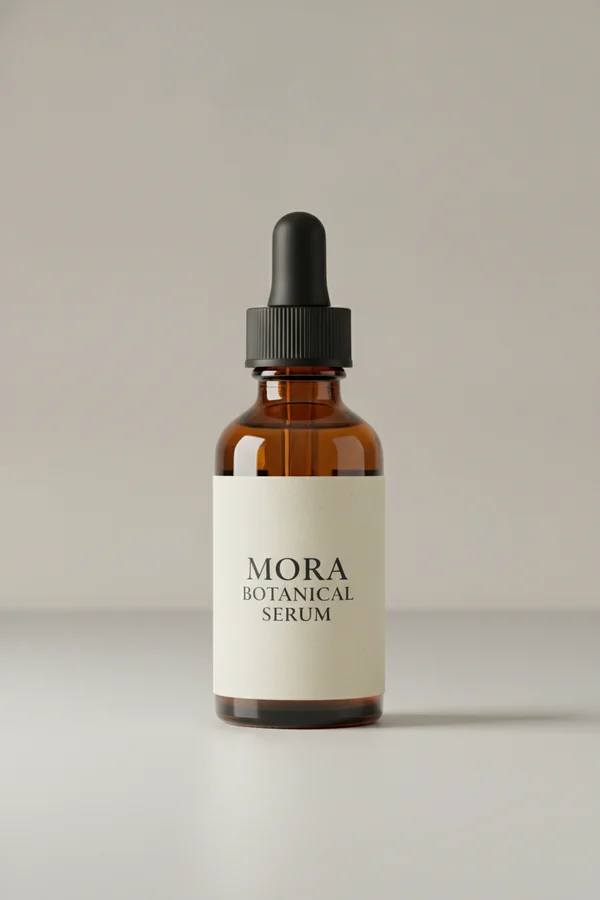
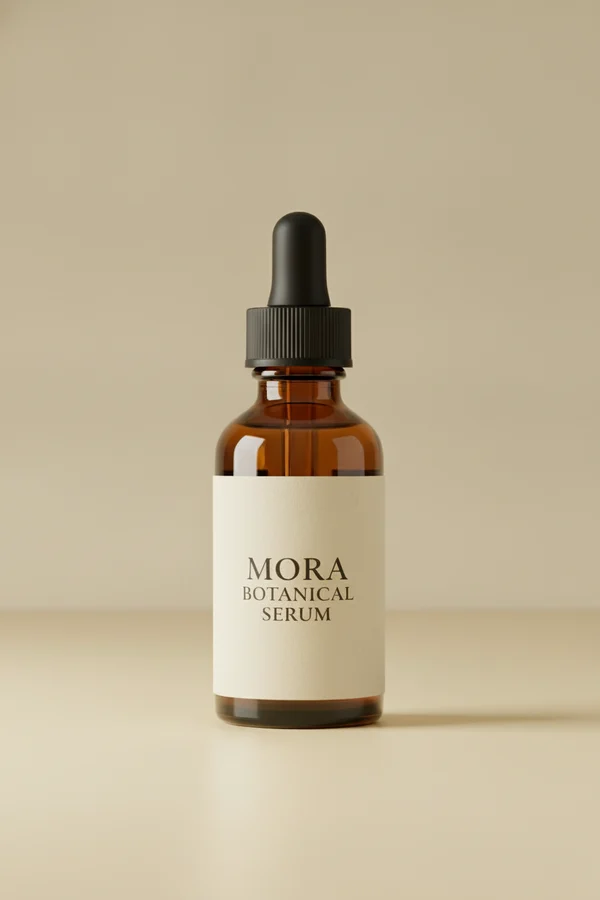
Keep the bottle, label, and proportions while moving the product into a warm studio setting.
Keep the bottle, label text, proportions, and brand colors unchanged. Replace the background with a pale yellow studio set and add a crisp directional shadow.
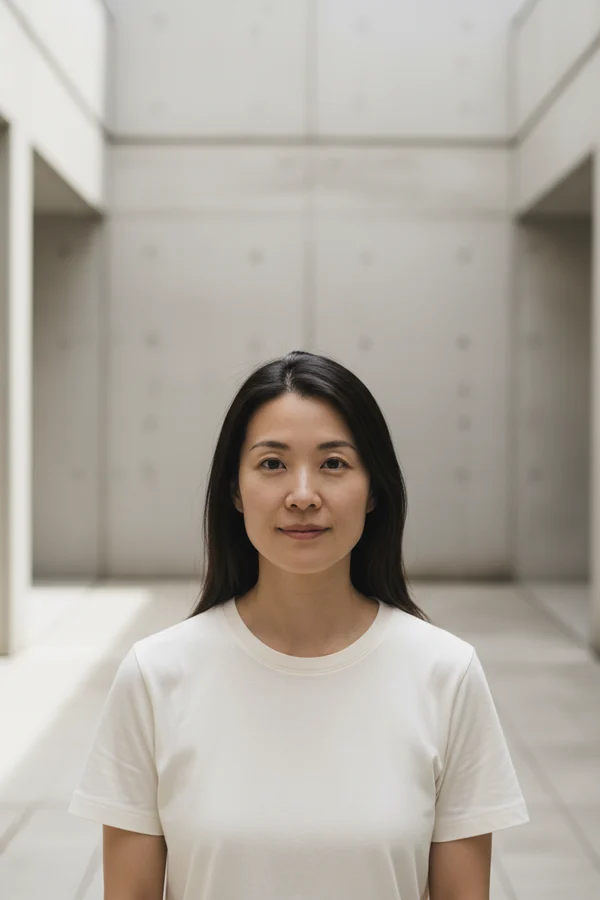
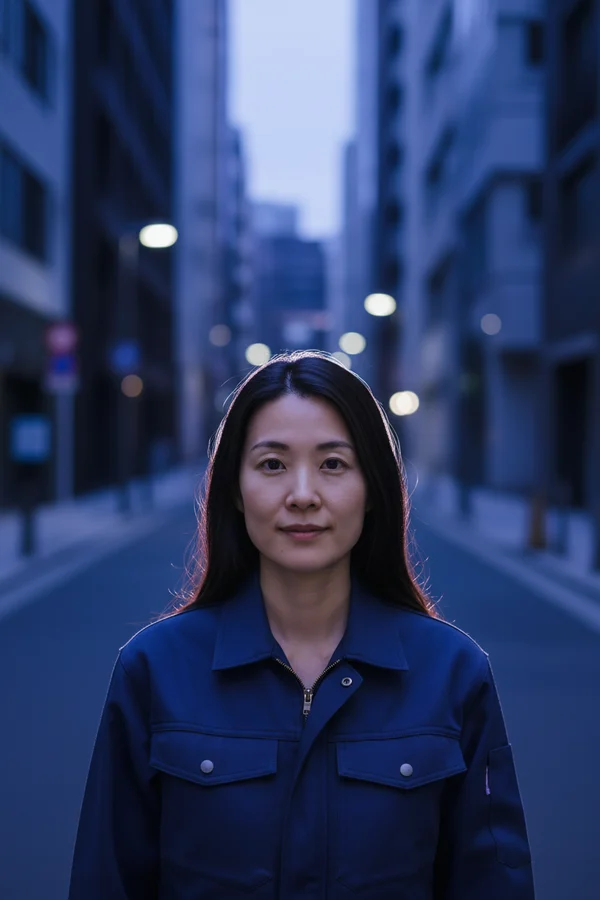
Preserve the subject's identity and pose while changing wardrobe direction, atmosphere, and light.
Preserve the person's facial features, hair, pose, and camera angle. Change the clothing to a navy work jacket and place the subject on a quiet city street at blue hour with soft cinematic rim light.
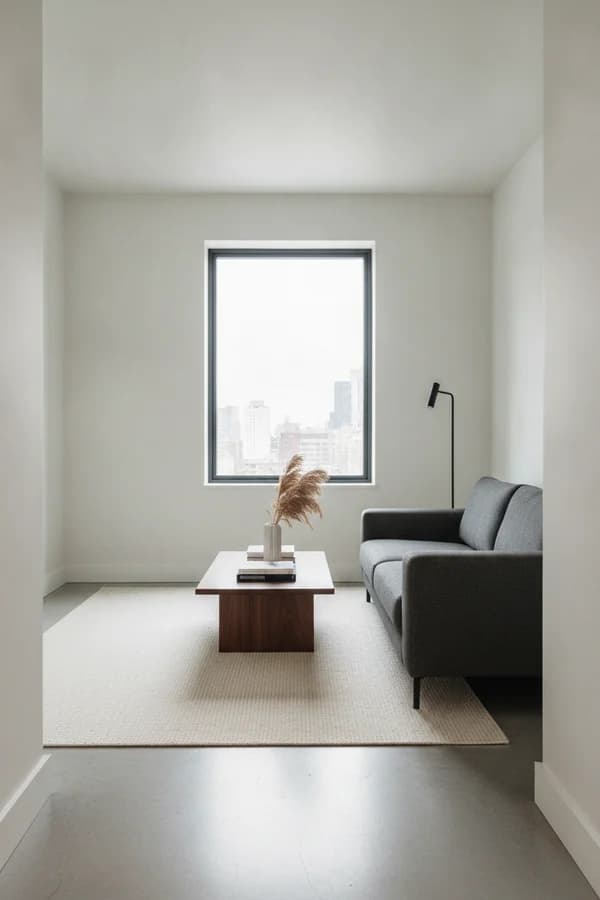
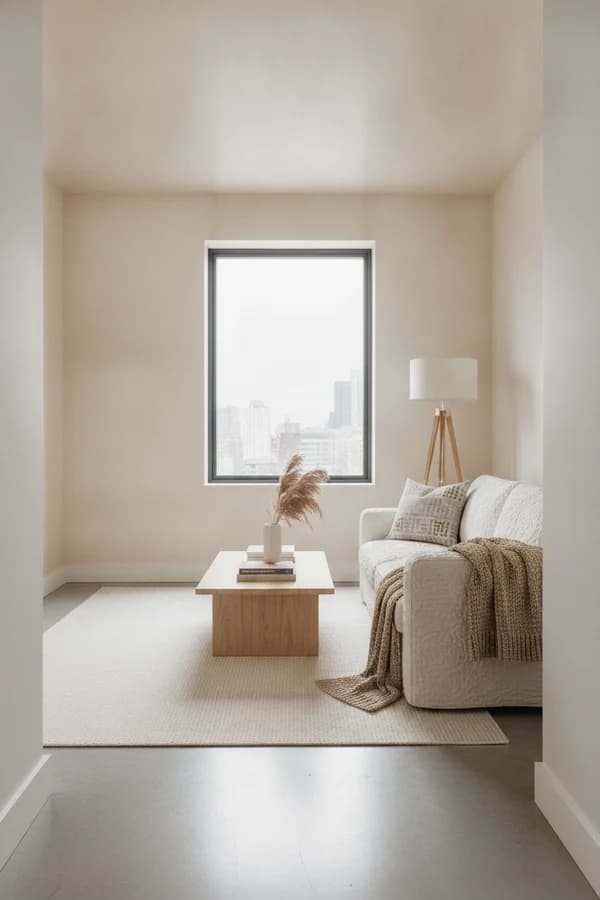
Retain the room structure and camera angle while introducing new materials, furniture, and decor.
Restyle this living room with light oak, textured linen, and warm Scandinavian decor while preserving the room layout, windows, and camera angle.
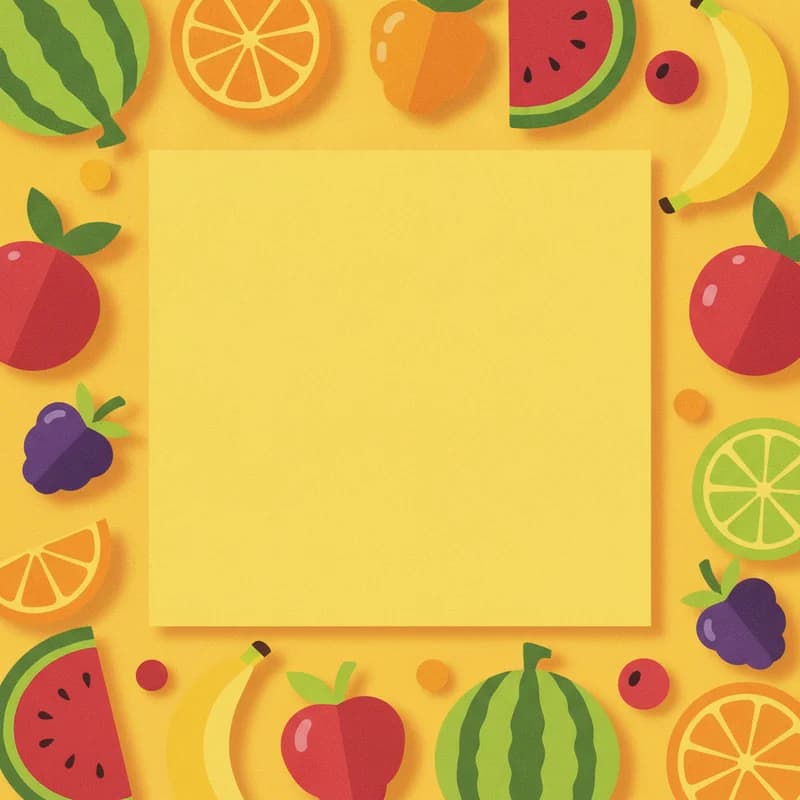
Build a bright square campaign image from a text brief, with intentional space left for final typography.
A bold square social media visual for a summer fruit market, cut-paper collage style, banana yellow background, playful fruit shapes, generous empty space for a headline.
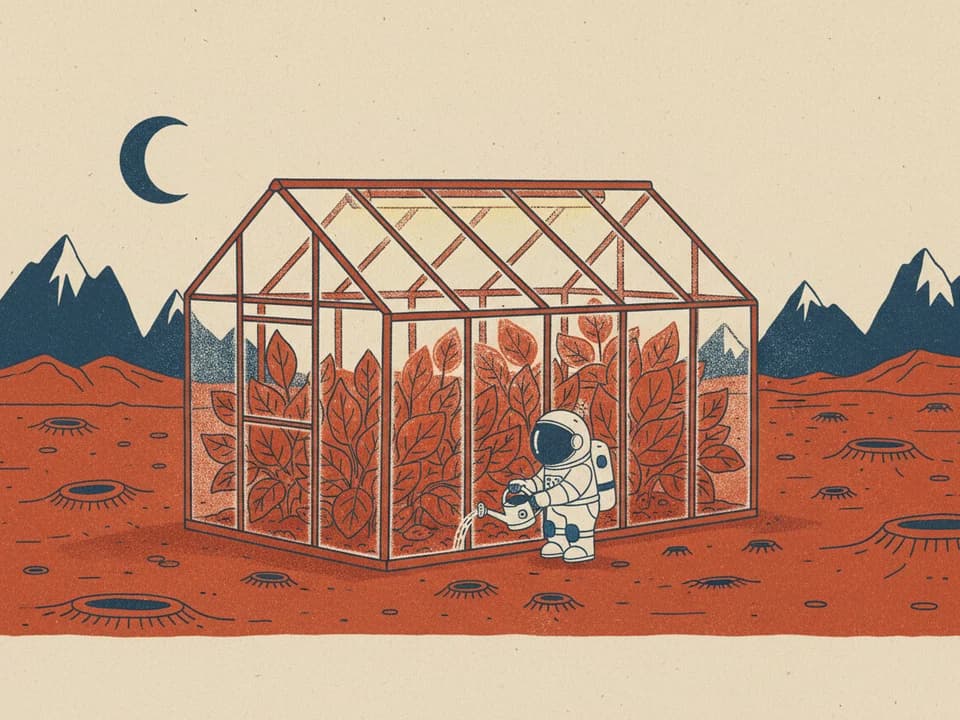
Turn an imaginative scene description into a character-led illustration with a controlled palette and mood.
A small glass greenhouse on Mars with a tiny astronaut watering red-leaf plants, playful risograph illustration, limited rust-red, cobalt, and cream palette, subtle paper texture.
Clear constraints make generation and editing instructions easier to follow, especially when a source image contains details you need to retain.
Prompt formula
Subject or source image + requested change + details to preserve + style or lighting + output constraintsLead with the main subject, use direct verbs for the change, and explicitly list anything that should remain untouched. Finish with visual direction and framing.
Product edit
Keep the bottle, label text, proportions, and brand colors unchanged. Replace the background with a pale yellow studio set, add a hard shadow to the right, and frame the product in a centered 4:5 composition.
Names the protected product details before describing the new set and framing.
Portrait edit
Preserve the person's facial features, hair, pose, and camera angle. Change the clothing to a navy work jacket and place the subject on a quiet city street at blue hour with soft cinematic rim light.
Separates identity and pose constraints from wardrobe, location, and lighting changes.
Text to image
A small glass greenhouse on Mars with a tiny astronaut watering red-leaf plants, playful risograph illustration, limited rust-red, cobalt, and cream palette, subtle paper texture, landscape 16:9 composition.
Combines subject, action, medium, palette, texture, and final canvas shape.
Use the original model for quick visual exploration and focused image changes where 1K output is enough.
Test backgrounds, surfaces, lighting setups, and seasonal art direction while asking the model to retain important product details.
Explore wardrobe, location, and art-style changes while describing the facial, pose, and character traits you want the edit to preserve.
Draft square posts, vertical story art, thumbnail concepts, and campaign directions in the aspect ratio required by each channel.
Visualize materials, furniture moods, scene cleanup, or location swaps without rebuilding the entire composition from scratch.
Straight answers about the original model, access, pricing, output, editing, and responsible use.
Nano Banana is the popular name for Google's original Gemini 2.5 Flash Image model. It generates images from text and edits a supplied image through natural-language instructions. This CubistAI page provides third-party access to that original legacy model through the site's existing image-generation service.
Yes. The underlying Gemini 2.5 Flash Image model was developed by Google. CubistAI is an independent third-party interface and is not an official Google product, so the account, credit, and generation experience on this page is provided by CubistAI.
Nano Banana uses credits on CubistAI. You must sign in, and each generated image costs 8 credits. A paid subscription is not required, but your account needs enough available credits for the number of outputs you select.
Choose Text to Image or Image to Image, enter a prompt, add one reference image when editing, and select an aspect ratio and output count. Sign in and generate, then preview and download the 1K results. Each output uses 8 credits.
Yes. Text to Image creates a new image from your description. Image to Image combines one uploaded JPG, PNG, or WebP reference with your instructions. For editing, state both the requested change and the identity, layout, lighting, or product details you want preserved.
Original Nano Banana uses Gemini 2.5 Flash Image, produces fixed 1K output, and costs 8 credits per image without a paid-plan requirement. Nano Banana 2 uses Gemini 3.1 Flash Image, offers 1K, 2K, and 4K options, costs more per output, and requires a Starter plan or higher.
This original Nano Banana page generates fixed 1K output. The interface offers Auto plus 1:1, 2:3, 3:2, 3:4, 4:3, 4:5, 5:4, 9:16, 16:9, and 21:9 aspect ratios. It does not offer a 2K or 4K selector.
Google states that images generated by its Gemini image models include invisible SynthID to identify AI-generated content. SynthID is not normally a visible overlay, but it means Nano Banana results should not be described as watermark-free.
Commercial use depends on the rights attached to your prompt, reference image, subjects, brands, and intended market, as well as the applicable service terms and law. Review CubistAI's terms before publishing or selling a result; this page does not provide a blanket license or legal advice.
Use a concrete structure: name the subject or source image, describe the requested change, list details to preserve, specify style or lighting, and finish with framing or aspect-ratio constraints. For edits, direct instructions such as “keep the face and pose unchanged” are clearer than broad requests such as “make it better.”
Pick a model based on resolution, editing needs, budget, and the type of visual you are creating.
Move to the upgraded Gemini image model when you need 1K, 2K, or 4K output and its newer capabilities.
Explore Nano Banana 2Try an alternative image model suited to instruction-heavy compositions and visual layouts.
Explore GPT Image 2Explore another model for image generation and precise visual editing across creative workflows.
Explore Seedream 5.0Open the full CubistAI image workspace to compare available models in one place.
View All Models